
Thermal Imaging for Industrial Preventive Maintenance
Find developing electrical and mechanical problems before they become unplanned shutdowns.
Thermal imaging gives maintenance teams a fast, non-contact way to see abnormal heat patterns while equipment is operating. Motors, bearings, electrical connections, switchgear, pumps, transformers and other plant assets can be inspected for temperature differences that may indicate a developing fault.
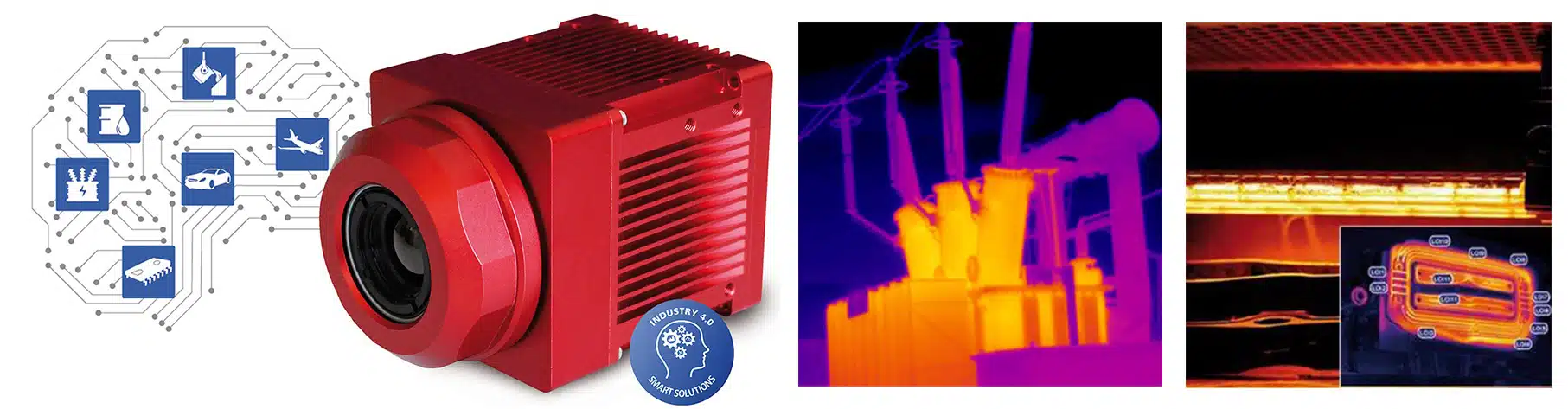
See Thermal Imaging for Preventive Maintenance
See how thermal imaging helps maintenance teams identify abnormal heat patterns in electrical and mechanical equipment before developing problems lead to unplanned downtime.
Why Thermal Imaging Belongs in a Preventive Maintenance Program
Many equipment problems create a change in temperature before there is visible damage. Thermal imaging helps maintenance personnel identify these changes without contacting the equipment and, in many cases, without interrupting production.
The most useful maintenance programs do more than capture a single thermal image. They establish normal operating patterns, repeat inspections under comparable conditions, document findings and trend changes over time. This makes it easier to separate normal heating from conditions that require further investigation.
What Thermal Imaging Can Detect
Electrical Systems
- Loose or deteriorating electrical connections
- Abnormal heating in switchgear and distribution panels
- Unbalanced phases or overloaded circuits
- Transformer, bushing, cable and breaker hot spots
Rotating Equipment
- Overheating motor and bearing housings
- Bearing and seal problems
- Misalignment in belts, pulleys and drive systems
- Abnormal heating in gearboxes, fans and blowers
Process & Utility Equipment
- Pump and compressor overheating
- Blocked cooling or heat-transfer passages
- HVAC and heat-exchanger performance problems
- Abnormal thermal patterns in piping, tanks and valves
Electrical Preventive Maintenance
Electrical losses produce heat. When resistance increases because of a loose, corroded or deteriorating connection, the resulting temperature pattern can make the problem visible in a thermogram.
Comparative inspection is especially useful. Similar phases, connections or components operating under similar load should normally show similar thermal behavior. A significant difference is a reason to investigate further.
- Motor control centers and switchgear
- Fuses, breakers and disconnects
- Bus bars and cable connections
- Transformers and bushings
- Battery connections and chargers
Mechanical Preventive Maintenance
Mechanical equipment generates heat through friction and normal energy transfer. Thermal imaging can reveal when that heat is no longer distributed normally.
Maintenance teams can use thermal patterns to screen large numbers of assets quickly and identify the equipment that deserves closer inspection with vibration, electrical or other diagnostic methods.
- Motors, bearings and seals
- Pumps and compressors
- Gearboxes and drive systems
- Fans and blowers
- Heat exchangers, piping and valves
From Periodic Inspection to Continuous Thermal Monitoring
Not every maintenance application requires the same camera configuration. Pembroke Instruments supports both route-based inspections and fixed thermal monitoring using thermal imaging products selected for the way the equipment is actually maintained.
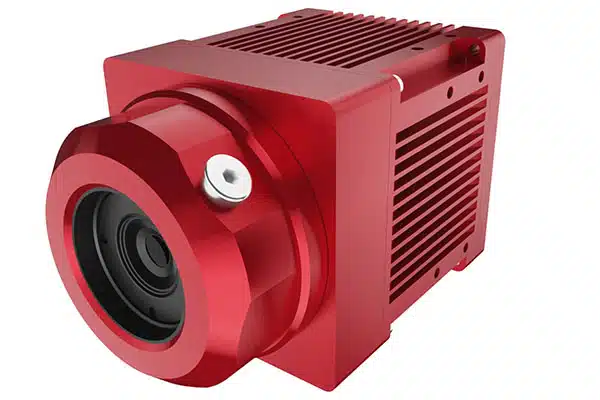
IRSX-I640 and IRSX-I336 Fixed Thermal Cameras
Best fit for critical assets, automated inspection and continuous condition monitoring.
IRSX thermal cameras are well suited for permanent installation where temperature conditions must be checked repeatedly or continuously. Fixed monitoring can reduce dependence on manual inspection routes and makes it possible to watch critical equipment for abnormal temperature changes as they develop.
- Continuous monitoring of critical equipment
- Automated thermal alarms and inspection routines
- Repeatable camera position and field of view
- Plant-floor and factory automation applications
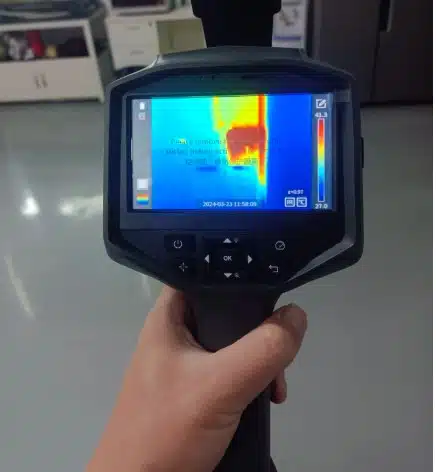
DP-64 Handheld Thermal Camera
Best fit for maintenance routes, troubleshooting and inspections across multiple plant areas.
A handheld thermal camera gives technicians the flexibility to move from electrical cabinets to motors, pumps, bearings and utility systems during a scheduled inspection route. It is also useful for quickly checking equipment after a repair or when a developing problem is suspected.
- Routine maintenance inspection routes
- Electrical and mechanical troubleshooting
- Pre- and post-repair thermal checks
- Rapid screening of multiple assets
A Practical Thermal Maintenance Workflow
Establish a Baseline
Document normal thermal patterns for critical equipment under known operating conditions.
Inspect Consistently
Use similar camera position, distance, load and operating conditions whenever practical.
Compare and Trend
Look for temperature differences between similar components and changes from previous inspections.
Investigate Exceptions
Use abnormal thermal patterns to prioritize follow-up inspection, repair and verification.
Better Results Come From Repeatable Conditions
Temperature is affected by more than equipment condition. Load, airflow, viewing angle, distance, surface emissivity and reflected energy can all influence the apparent temperature in a thermal image.
For maintenance trending, the goal is consistency. When possible, compare equipment under similar loading and environmental conditions and record the inspection setup so future measurements can be repeated.
Qualitative vs. Quantitative Inspection
Many preventive maintenance inspections begin with qualitative comparison: identifying an abnormal thermal pattern relative to similar equipment or to a known baseline.
When the actual temperature or severity of a problem is important, the inspection becomes more quantitative and requires greater attention to emissivity, reflected temperature, distance, environmental conditions and camera setup.
Choose the Right Thermal Camera for Your Maintenance Program
Tell Pembroke Instruments what equipment you need to inspect, the required working distance, target size, temperature range and whether the application is handheld or fixed. We can help identify the most appropriate thermal imaging configuration.
Discuss Your Preventive Maintenance Application